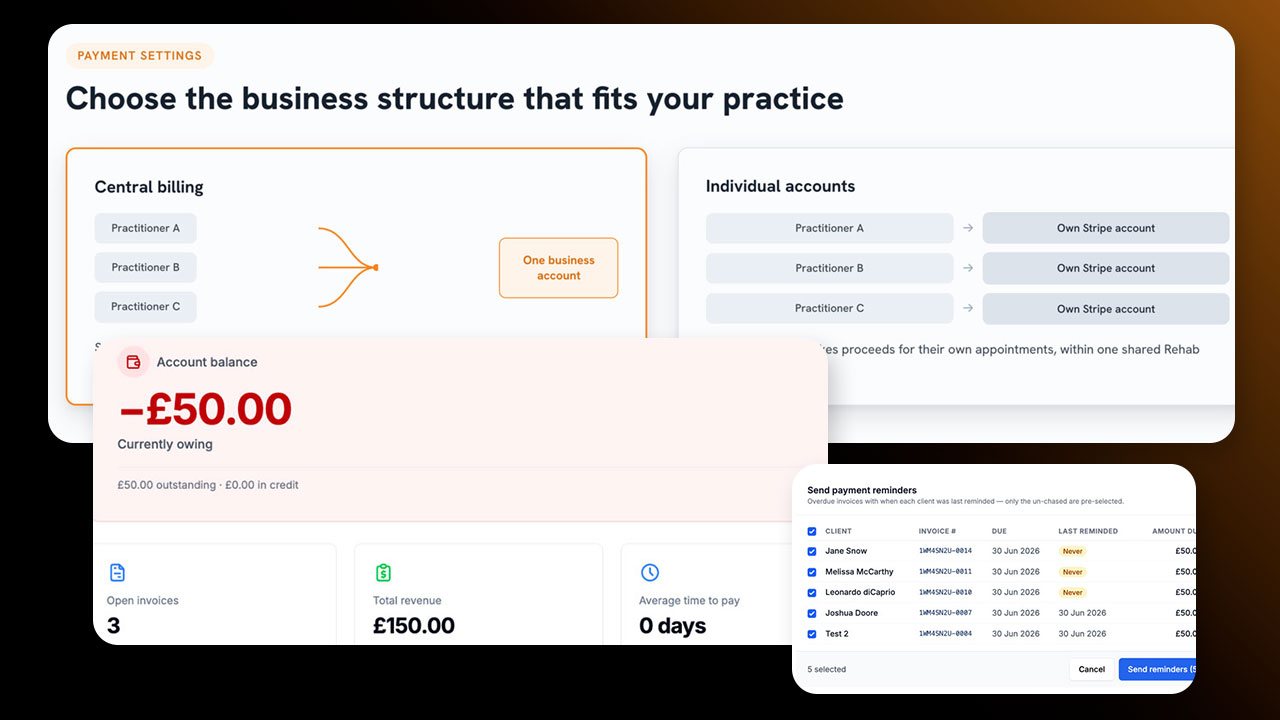
Historically, Rehab Guru only offered a direct Stripe connection: you could take payments on your booking portal and send invoices to patients, but behind the scenes we were essentially remote-controlling Stripe's own infrastructure, creating an invoice there and simply reading back its status.
That approach worked, but it came with real limitations. It made rigorous analytics difficult, ruled out billing for practices without a Stripe connection, and shut the door on other widely-used payment gateways such as SumUp and Square, something many of our international customers in particular have asked for. By bringing billing in-house, we've opened the door to much richer analytics, clearer audit trails, and future capabilities such as insurance clearing integrations.
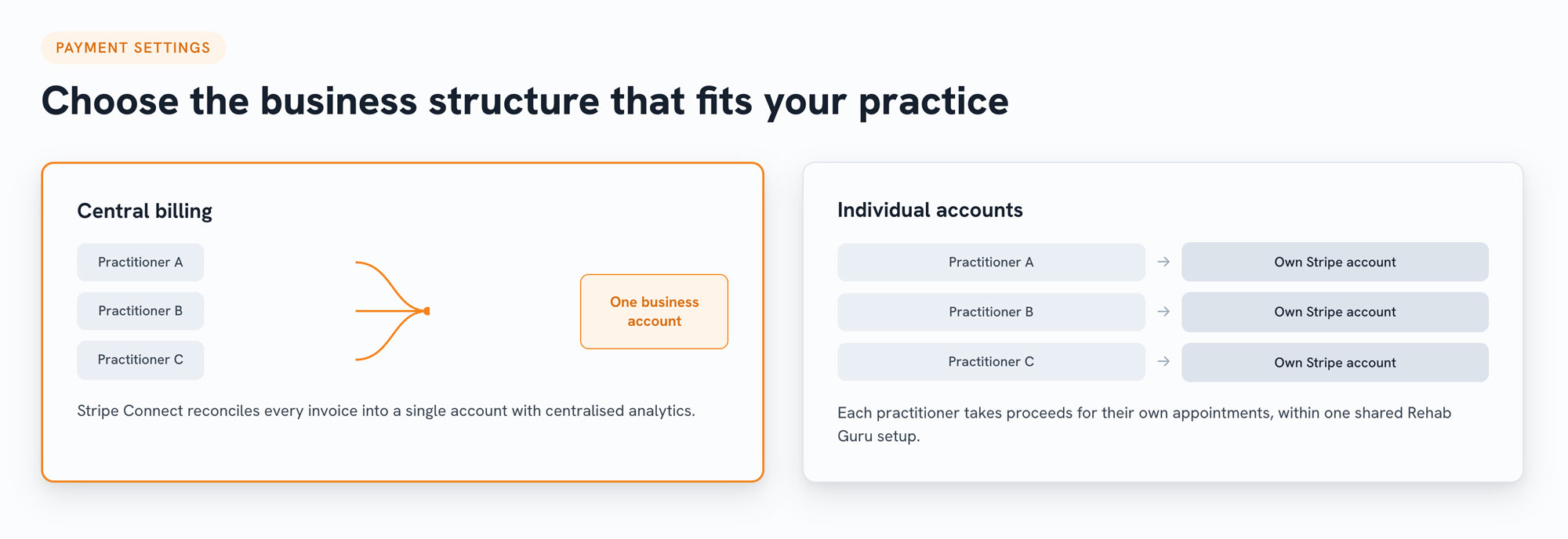
It all starts in Payment Settings, where you choose the business structure that fits your practice. Central billing routes all proceeds into a single connected business account, using Stripe Connect so Rehab Guru can automatically reconcile invoices and give you clean, centralised analytics on revenue and proceeds.
Alternatively, if your practitioners operate more like associates, each team member can connect their own Stripe account and take proceeds for their own appointments directly, while still working within your shared Rehab Guru setup. We've also expanded currency support from a handful of options to over 100, and while Stripe Connect is the primary gateway for now, additional payment gateways are on our radar for the future.
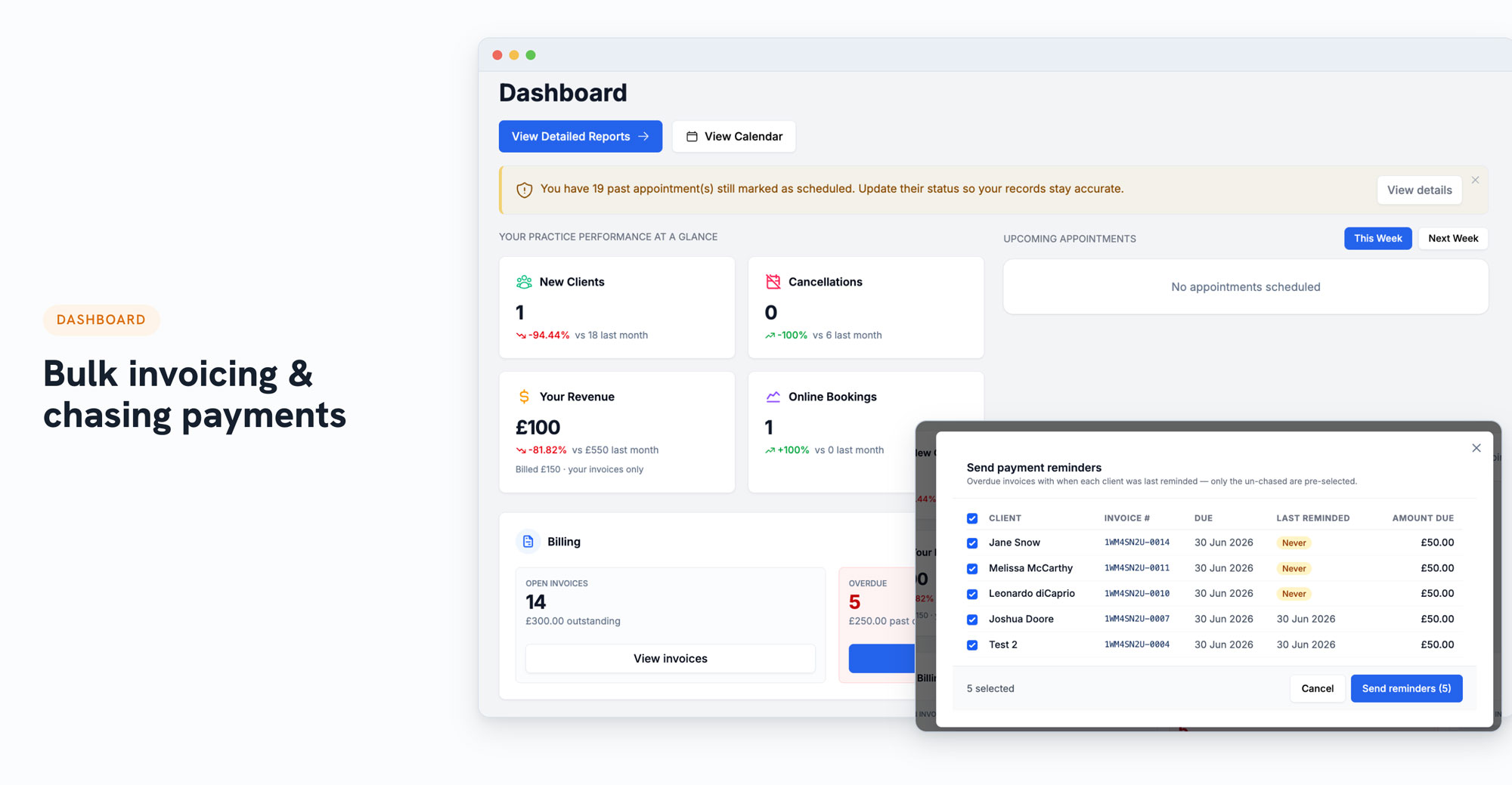
A new billing widget on your dashboard surfaces every appointment that's eligible for billing, so you can approve and send a batch of invoices at once, whether that's daily, weekly, or however your practice likes to run things. Sending an invoice automatically includes a secure online payment link, giving patients the option to pay by card, Apple Pay, Google Pay and more. The same dashboard makes it easy to spot and chase overdue invoices, and a dedicated billing page gives you a full, searchable, filterable list of every invoice and payment on the account, including cash payments and any other method you've configured.
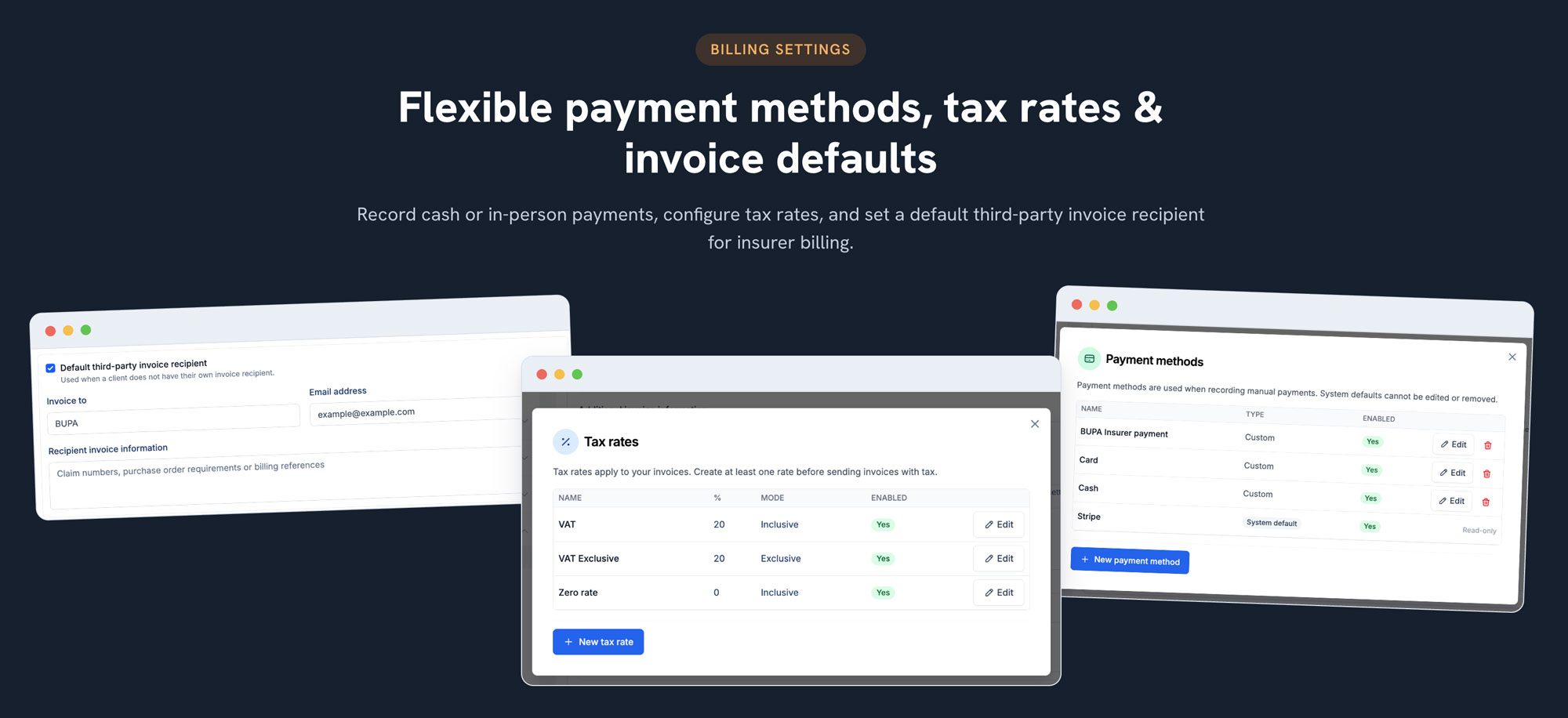
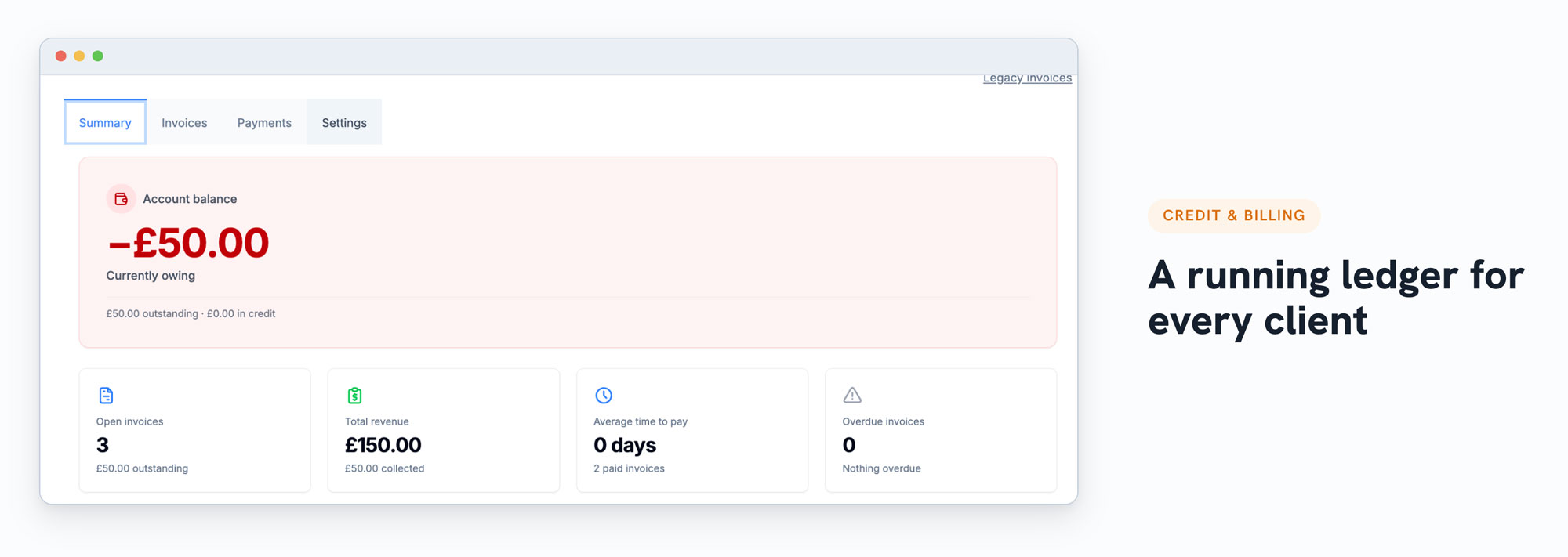
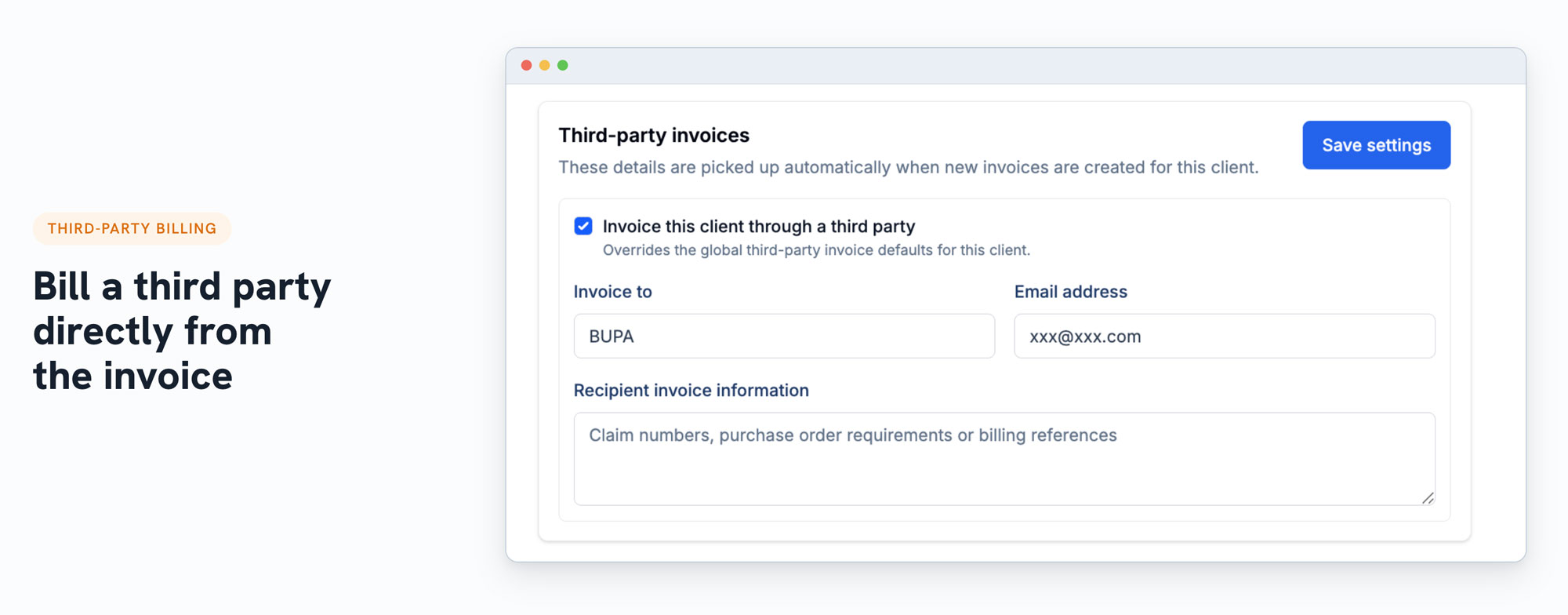
Beyond Stripe, you can register other payment methods your practice accepts in person, such as cash or a SumUp terminal, and record those payments manually against a client's account. Each client now has a running ledger of credits and debts, so a payment can sit as credit until it's needed, and a completed appointment adds a debt that credit can be allocated against. You can also configure optional tax rates, default invoice details like bank information or a different business address, a default third-party recipient for insurer billing, and custom invoice numbering if you're migrating historic invoices from another system.
Creating an invoice from an appointment in the diary automatically pulls in the appointment details, and approving and sending it delivers the payment link straight to the patient. Payments and credit sit separately from invoices, which means credit on a client's account, for example from a gift card or overpayment, can be allocated flexibly, including splitting it across multiple outstanding invoices rather than paying off just one. Billing a third party, such as an insurer, is handled from the invoice's own settings, where you add their details and tick a box to include them on the invoice.
Deposits taken through the booking portal now automatically raise and reconcile against an invoice, so it's immediately clear how much of an appointment has been paid and what balance remains, a big improvement on the old approach, where portal payments were arbitrary and disconnected from the appointment itself. You can still mark an appointment as paid manually if you're not using the invoicing workflow, but doing so now shows a clear warning, since it bypasses the audit trail and won't feed into financial analytics. Raising an invoice and recording a payment against it remains the recommended path.
This is the foundation for a much deeper set of business analytics, including utilisation rate, profit per clinician, and gross profit reporting, as we continue building toward a genuinely all-in-one practice management experience. We'll be running dedicated sessions on the billing changes in more detail, given how much is new here. We’re also planning further integrations, including accounting software, additional payment gateways, and connections with Effra and Healthcode.
As always, your feedback drives our roadmap, so please keep it coming through the feature request portal.