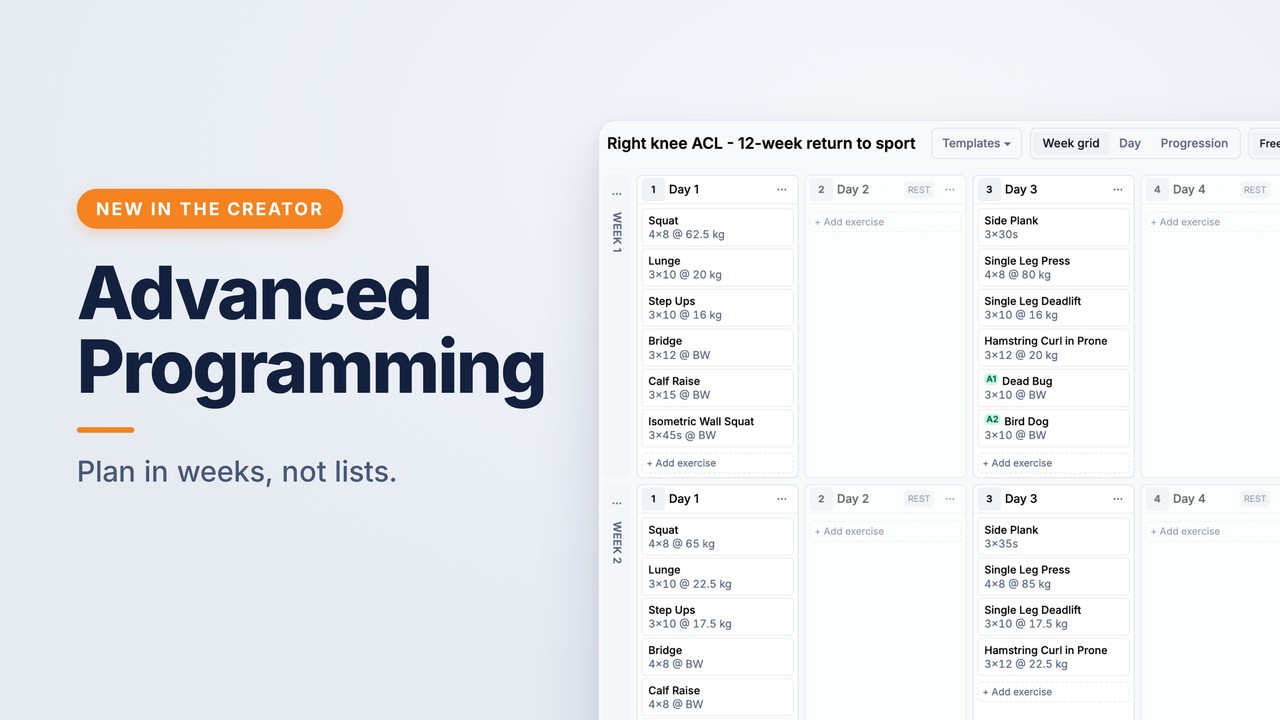
A flat list of exercises is the right tool for most rehab, and the simple Creator remains the best way to build one. It is the wrong tool for a twelve-week strength block, though. A plan like that needs weeks and days, rest days, a deload, and loads that build over time.
Advanced Programming is a second builder inside the Creator, made for exactly that. It is now out of beta and available to everyone, so you no longer need beta access to use it.
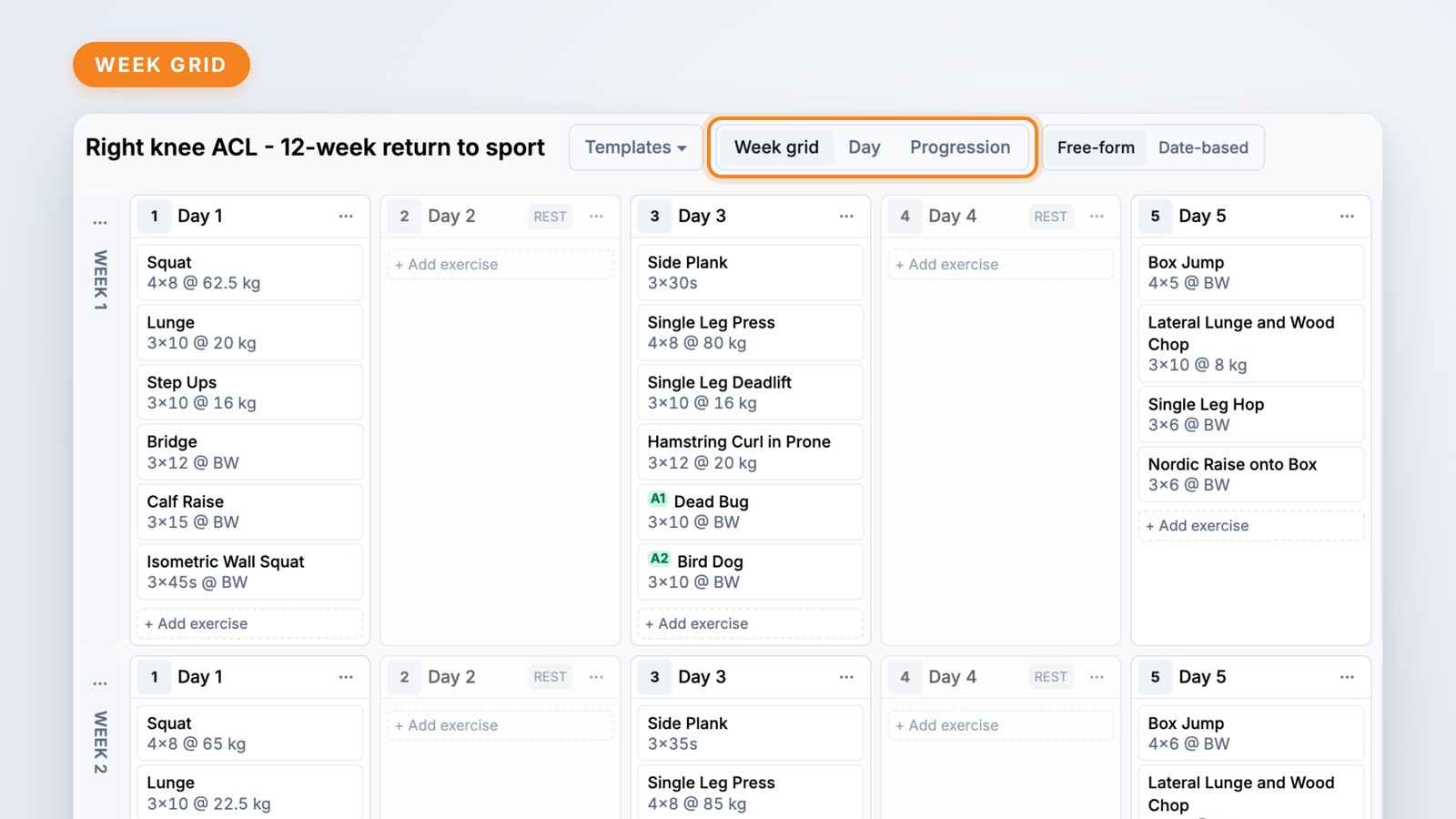
Open it with the Advanced editor button in the Creator top bar. Instead of a single list, you plan in a grid of weeks and days, with three ways to look at the same plan:
Choose Free-form to let your client work through the days at their own pace. Choose Date-based to pin days to calendar dates from a start date you pick. From the menus on each day and week you can copy and duplicate days and weeks, mark rest days and deload weeks, and colour-code days.

You can split each day into sections, such as warm-up, main and cool-down. Add supersets, labelled A1 and A2 automatically, or circuits, AMRAP, EMOM and rounds-for-time blocks for conditioning work. You can also add a note for your client.
Every set row carries reps, load, rest, tempo and RPE. A load can be a fixed weight, a percentage of your client's 1RM, or bodyweight. Record or estimate a max once and the whole plan calculates from it. You can type parameters in shorthand, such as 4×8 @ 62.5 kg, rest 1:30, RPE 8, and they become proper set rows.
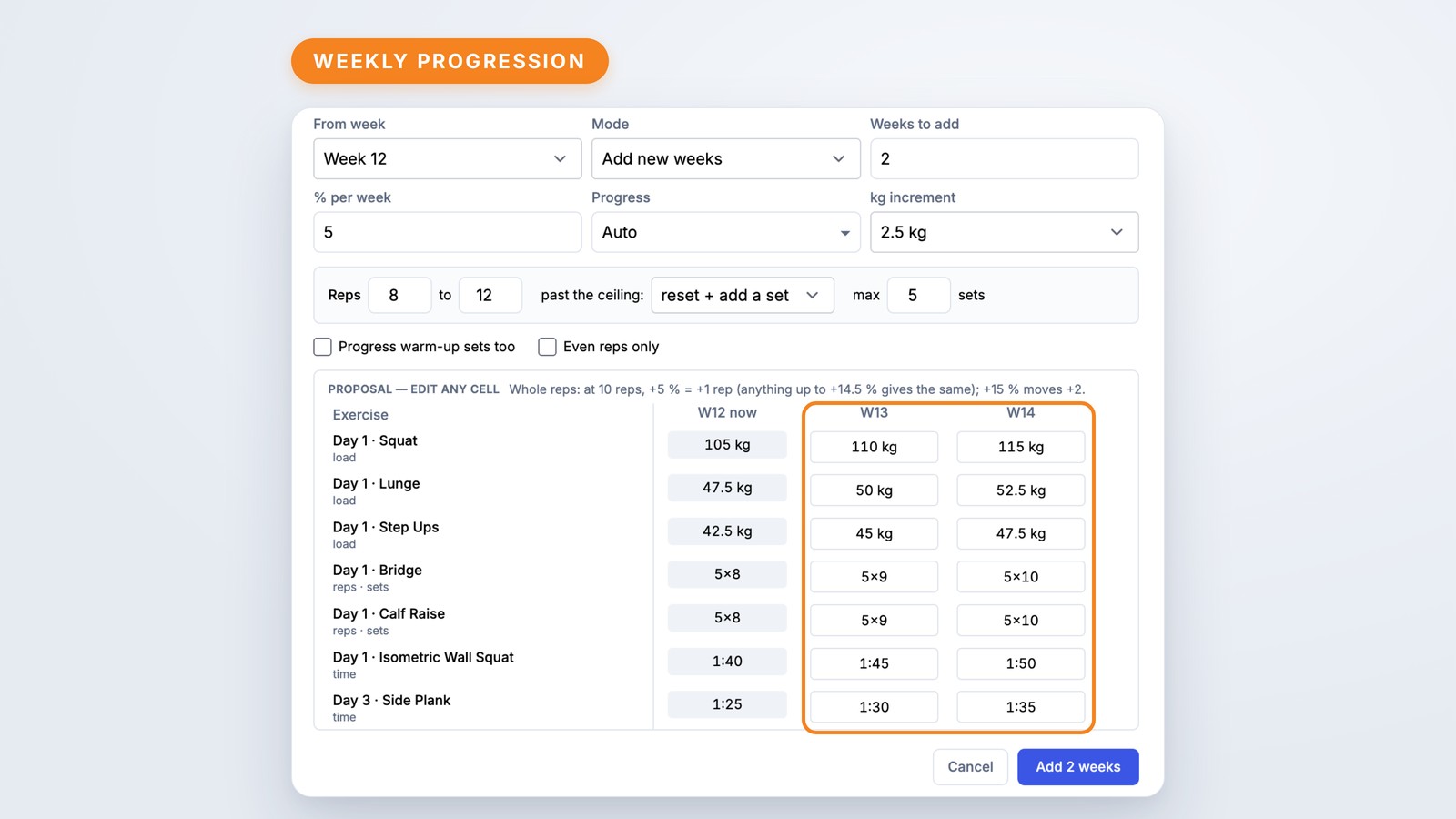
You do not have to type out twelve weeks by hand. Build one good week, then add progressed weeks. Choose:
Before anything is saved, you get a proposal grid showing every generated week. Edit any cell you disagree with, keep your deload weeks as they are, then apply the lot in one step.
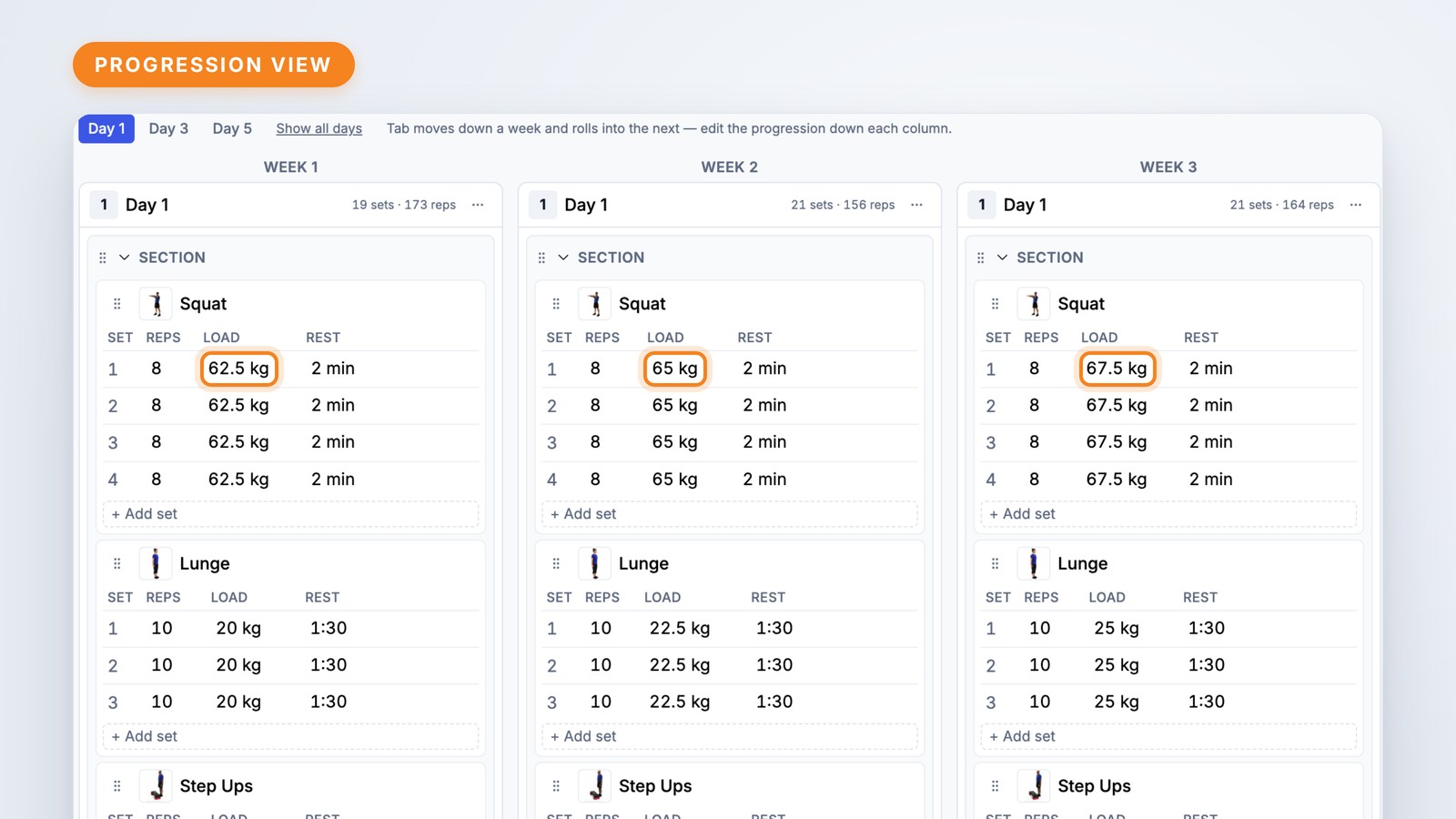
Plans change mid-block. When you edit an exercise, you choose whether the change applies to this occurrence only, to this and later weeks, or to every occurrence in the plan. You can also replace an exercise everywhere it appears in one step.
If your client is already working through a plan, save your changes as a new version. They keep the same programme and their history stays intact.
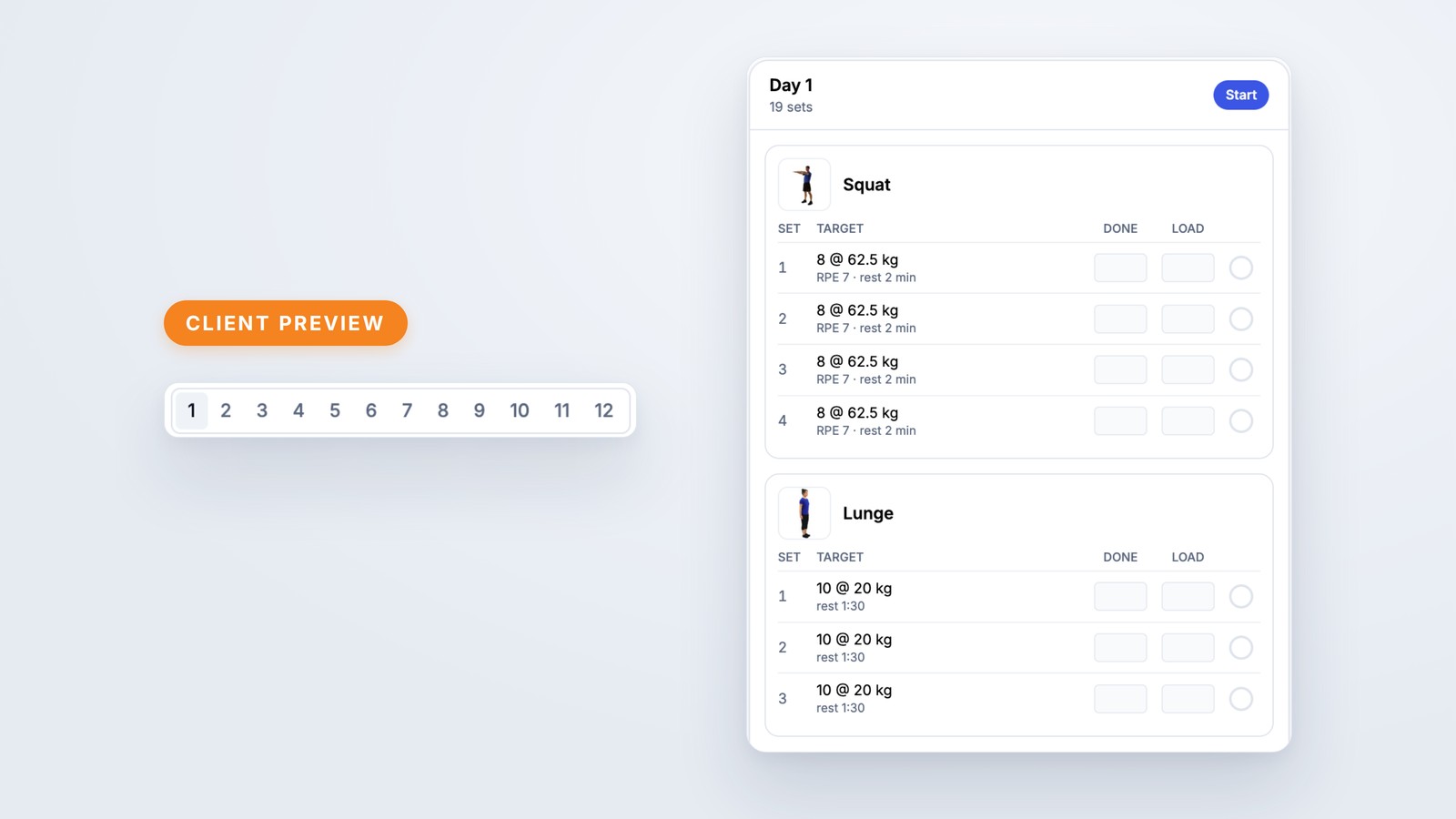
Preview shows the plan exactly as your client will see it, a week at a time. Publishing works just as it does in the simple Creator. Once your client starts, you will see their adherence, tonnage, skip patterns and set-by-set results.
Advanced Programming is live now. Open the Creator and click Advanced editor in the top bar. The simple Creator stays exactly as it is, and you can switch back at any time from the … menu.
Advanced Programming was shaped by clinicians who tested it in beta, so please keep your feedback coming through the feature request portal.